> ## Documentation Index
> Fetch the complete documentation index at: https://docs.aidocmaker.com/llms.txt
> Use this file to discover all available pages before exploring further.
# How to Generate a Presentation
> Presentation generation with Aidocmaker.com
Aidocmaker.com's AI presentation creator makes it easy to create professional and engaging presentations.
Whether you're preparing a business pitch, educational slides, or project overview, our AI-powered tool helps you generate visually appealing presentations with minimal effort.
## Steps to Generate a Presentation
1. **Go to the Presentation page**\
Navigate to the [Generate Presentation page](https://www.aidocmaker.com/g0/pptx) on the Aidocmaker.com website.
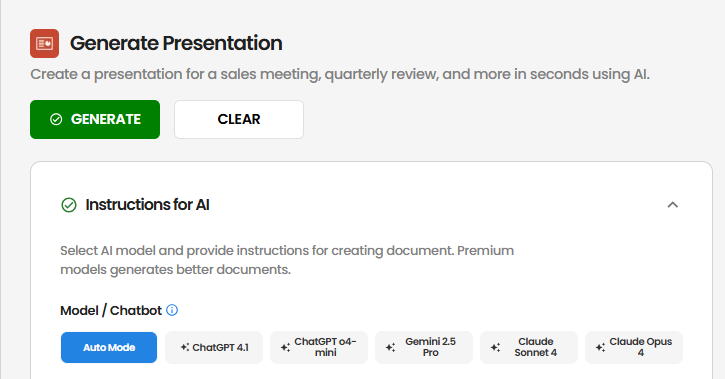
2. **Select Your AI Model**\
Choose from available AI models like ChatGPT 4.1, ChatGPT o4-mini, Gemini 2.5 Pro, Claude Sonnet 4 or Claude Opus 4 to suit your presentation needs.
 3. **Provide Background Information (Optional)**\
Offer context such as the presentation's purpose, target audience, or any specific details to guide the AI.
4. **Enter Instructions**\
Clearly specify what you want the presentation to include. For example:
* "Create 15 slide sales presentation for Canon imageCLASS LBP236dw"
* "Generate a quarterly business review presentation focusing on sales performance"
3. **Provide Background Information (Optional)**\
Offer context such as the presentation's purpose, target audience, or any specific details to guide the AI.
4. **Enter Instructions**\
Clearly specify what you want the presentation to include. For example:
* "Create 15 slide sales presentation for Canon imageCLASS LBP236dw"
* "Generate a quarterly business review presentation focusing on sales performance"
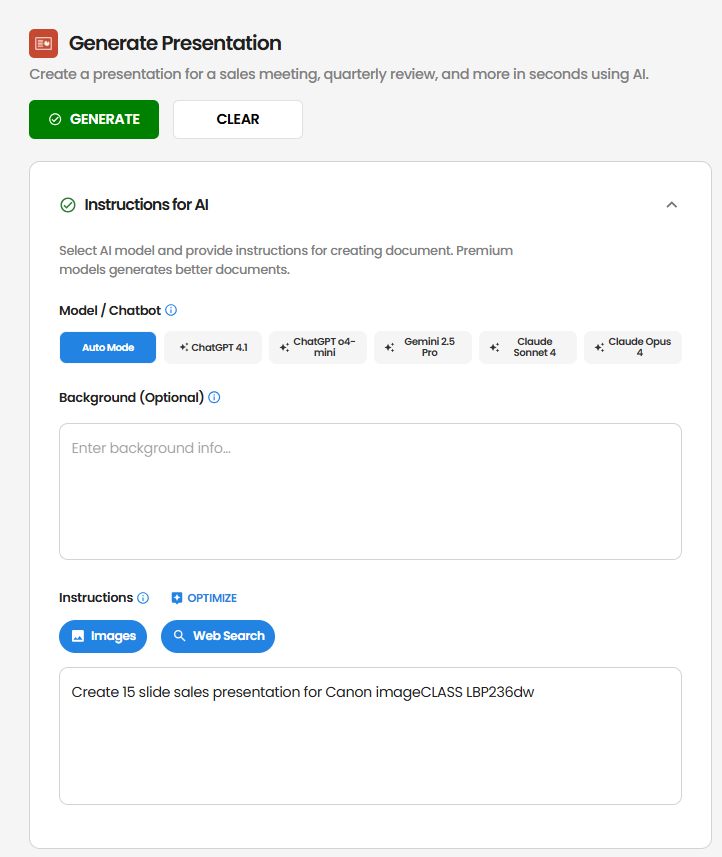 5. **Optimize Your Prompt (Optional)**\
Click the "Optimize" button to refine your instructions for better results.
6. **Configure AI Features (Optional)**\
Toggle the following features to enhance your presentation:
* **Images**: Let the AI create relevant images for your slides
* **Web Search**: Allow the AI to search the web for up-to-date information
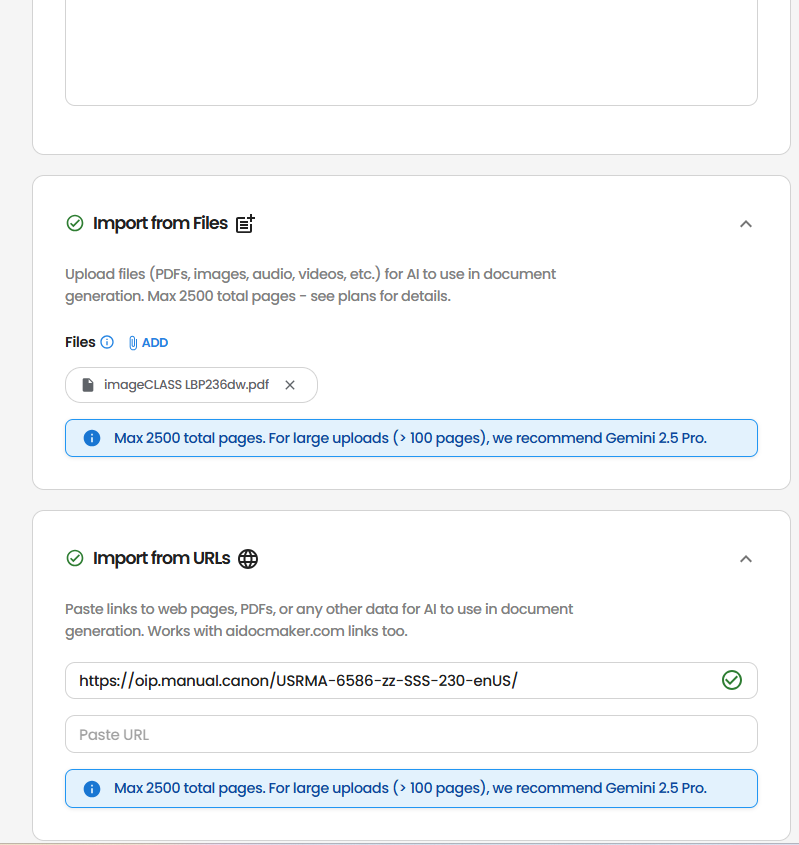
7. **Upload Reference Files (Optional)**\
Attach relevant documents (e.g. PDFs, DOCX, XLSX) that the AI can use as references during generation.
5. **Optimize Your Prompt (Optional)**\
Click the "Optimize" button to refine your instructions for better results.
6. **Configure AI Features (Optional)**\
Toggle the following features to enhance your presentation:
* **Images**: Let the AI create relevant images for your slides
* **Web Search**: Allow the AI to search the web for up-to-date information
7. **Upload Reference Files (Optional)**\
Attach relevant documents (e.g. PDFs, DOCX, XLSX) that the AI can use as references during generation.
 8. **Generate the Presentation**\
Click the "Generate" button and let the AI craft your presentation.
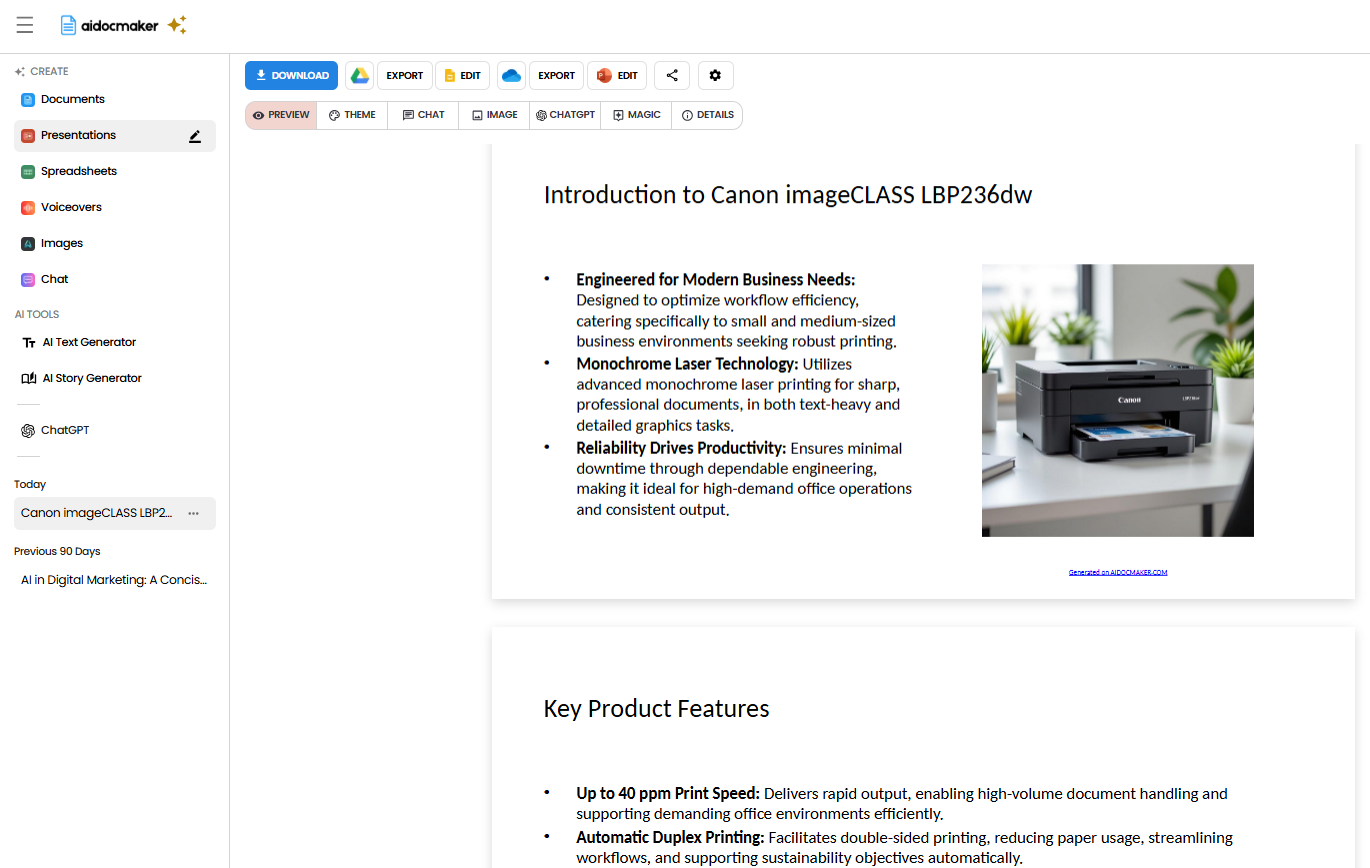
9. **Review and Export**\
Once generated, review the content and slides. You can make edits directly within the platform and export the final presentation in your preferred format.
8. **Generate the Presentation**\
Click the "Generate" button and let the AI craft your presentation.
9. **Review and Export**\
Once generated, review the content and slides. You can make edits directly within the platform and export the final presentation in your preferred format.
 ## Tips & Best Practices
* **Be Specific**: The more detailed your instructions, the more tailored the output.
* **Provide Context**: Including background information helps the AI align the content with your objectives.
* **Use Reference Materials**: Uploading relevant files can enhance the accuracy and relevance of the generated content.
* **Consider Visual Elements**: The AI will automatically create appropriate layouts and suggest visual elements for each slide.
* **Iterate as Needed**: If the first draft isn't perfect, refine your instructions and regenerate.
By following these best practices, you can save time, reduce manual work, and consistently generate high-quality, professional presentations.
Try it out today on [Aidocmaker.com](https://www.aidocmaker.com), and experience the ease of AI-powered presentation creation.
## Tips & Best Practices
* **Be Specific**: The more detailed your instructions, the more tailored the output.
* **Provide Context**: Including background information helps the AI align the content with your objectives.
* **Use Reference Materials**: Uploading relevant files can enhance the accuracy and relevance of the generated content.
* **Consider Visual Elements**: The AI will automatically create appropriate layouts and suggest visual elements for each slide.
* **Iterate as Needed**: If the first draft isn't perfect, refine your instructions and regenerate.
By following these best practices, you can save time, reduce manual work, and consistently generate high-quality, professional presentations.
Try it out today on [Aidocmaker.com](https://www.aidocmaker.com), and experience the ease of AI-powered presentation creation.